Wrestle Bros
by Community
Cluster Rush
Asteroids
Mini Zombie Shooters

Happy Wheels
Learn 2 Fly 2
COD Zombies Portable
Rainbow Friends Return
OvO 2
Undertale Yellow

Super Smash Flash
Awesome Tanks 2

Golf Orbit
Scooby-Doo! Creepy Run

Basketball Stars
Deepest Sword
The Binding Of Isaac

Just One Boss
Boxing Random

Solar Smash

Blumgi Slime
Rogue Soul 2
Run 1
Moto X3M 3

Stealing The Diamond
Survival Karts

Spelunky Classic HD
Rooftop Snipers 2

Papa Louie 2 When Burgers Attack
Baseball Bros
Moto X3M Spooky Land
Wheelie Bike
Fruit Ninja
Browse by Category
You Might Also Like




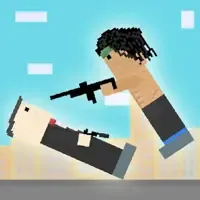
About Wrestle Bros
2-player local versus modeUnique special moves per wrestlerCharge-up power attacksFast-paced stickman brawling
How to Play Wrestle Bros
Controls
Frequently Asked Questions
What are the controls for Wrestle Bros?
Player 1 uses WASD to move and Q/E to attack, while Player 2 uses the arrow keys to move and Numpad 1/3 to attack. To perform special moves, simply hold down your attack buttons instead of tapping them.
Can you play Wrestle Bros with two players on the same keyboard?
Yes, Wrestle Bros is designed as a 2-player local game where both players share the same keyboard. Player 1 uses the left side of the keyboard while Player 2 uses the right side and numpad, so you can go head-to-head with a friend sitting right next to you.
How do you do special moves in Wrestle Bros?
To perform special moves in Wrestle Bros, hold down your attack buttons rather than tapping them quickly. Mastering when to use these special moves alongside regular attacks is key to beating tough opponents.
How can I play Wrestle Bros for free?
You can play Wrestle Bros for free right here on GlorpMath. No downloads, sign-ups, or payments required. Just click play and start having fun instantly!
Does Wrestle Bros work on school Chromebooks?
Yes! Wrestle Bros runs directly in your browser and works great on Chromebooks, laptops, tablets, and phones. No installation needed.
Is Wrestle Bros unblocked?
GlorpMath hosts Wrestle Bros directly on our servers, making it accessible from most school and work networks. Just visit GlorpMath and start playing!